By Charles · Research-based buying guide · Updated October 10, 2026
iTagPro GPS Air Tag
A practical guide to Bluetooth item finding, phone compatibility and the limits behind GPS marketing.
About this guide
Affiliate disclosure: We may earn a commission if you purchase through the link below. We have not personally tested iTagPro. We researched the direct seller page without opening the affiliate URL, so its destination and live offer terms remain unverified.
What the seller describes
The direct iTagPro sales page describes a small item tracker that pairs with a smartphone through Bluetooth. It promotes sound alerts, two-way finding and a replaceable CR2032 battery. These are seller descriptions, not results from our own testing. Confirm the exact model and supplied instructions before ordering; the affiliate offer’s destination was not opened during preparation.
GPS wording deserves a closer look
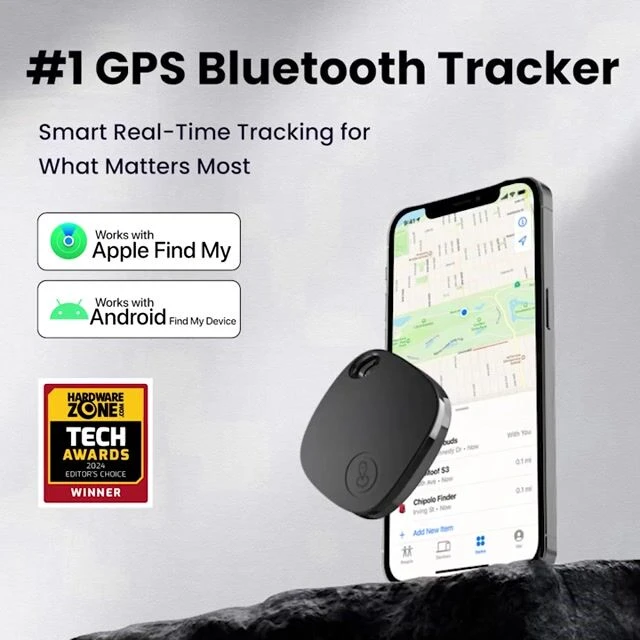
The same sales page advertises GPS tracking, yet its FAQ says that once the tag moves beyond Bluetooth range, the app records the last known location. Our reading is that this does not establish independent, continuous satellite tracking. A saved map location is different from the current location of a moving item. We have not verified a cellular connection or a community-finding network for this offer.
Check your phone and the exact app
Ask the seller for the app’s exact name and its official App Store or Google Play listing. Verify supported operating-system versions, required permissions and any charges. The sales page claims iOS and Android support, but that does not establish Apple Find My or Google Find Hub compatibility. Despite the supplied offer name ‘GPS Air Tag,’ we have not verified that iTagPro is an Apple AirTag or an Apple-certified Find My accessory.
Match the tracker to the job
For misplaced keys or a bag close to your phone, a sound alert may be useful if the connection works in your environment. If you need to locate luggage far away, ask how updates arrive when your phone is absent. If your goal is continuous remote tracking, require explicit documentation of the communication system, coverage and costs. Do not assume a nearby-item finder offers those functions.
A useful first-use checklist
Read the model’s manual, install the identified app from its official store and follow the pairing instructions. Name the tag clearly, then test the sound function before attaching it to an item. Check what the app displays after you leave connection range, whether it shows a timestamp and how alerts behave when the phone is locked. Confirm battery replacement instructions and keep coin cells away from children.
Read durability claims carefully
Request the model’s documented water-resistance rating and care instructions rather than treating ‘water-resistant’ as permission to submerge it. Check how securely the tag attaches to your belongings and whether its battery compartment closes properly. We have not tested range, battery duration, alarm volume or water resistance. Choose based on the conditions you can verify rather than a headline feature list.
Our assessment before buying
iTagPro is worth evaluating as an item-finding accessory, with the exact app and out-of-range behavior central to the decision. We do not promise recovery of lost or stolen belongings or recommend relying on it for a child’s or pet’s safety. Compare the delivered price, package quantity, return address and any optional extras. Save the seller’s current terms before payment.
Inspect the current US offer
Verify the exact model, app compatibility, final order total, delivery estimate and return conditions. No current price, discount, availability or money-back guarantee is confirmed by this guide.
Sources and verification
iTagPro direct seller page, reviewed October 10, 2026. Its Bluetooth FAQ and out-of-range description informed this guide. The seller image was obtained directly from its image CDN. No customer rating, hands-on result or independent performance measurement is claimed.